



[]
Open to work · Toronto

I turn ideas into products people love

I’m Cindy Cheng, a UI/UX Designer in Toronto

PhotoshopIllustratorAfter EffectsCanva
All-round creativeAn eye for beauty across images, video, motion and sound

Smarter with AII use AI to find the fastest, smartest way to get things done

Designer who codesClickable prototypes and real front-end, vibe-coded with AI


Shipped at scale3.9M bank customers, 872 retail stores, 340K app users
Case Studies →Prototype Lab →
PROJECT 01

SpeechLP

A speech-practice game kids actually want to play

Year
2026
Platform
iPhone, iPad
Users
Kids 3–9 & parents
The brief

What I designed

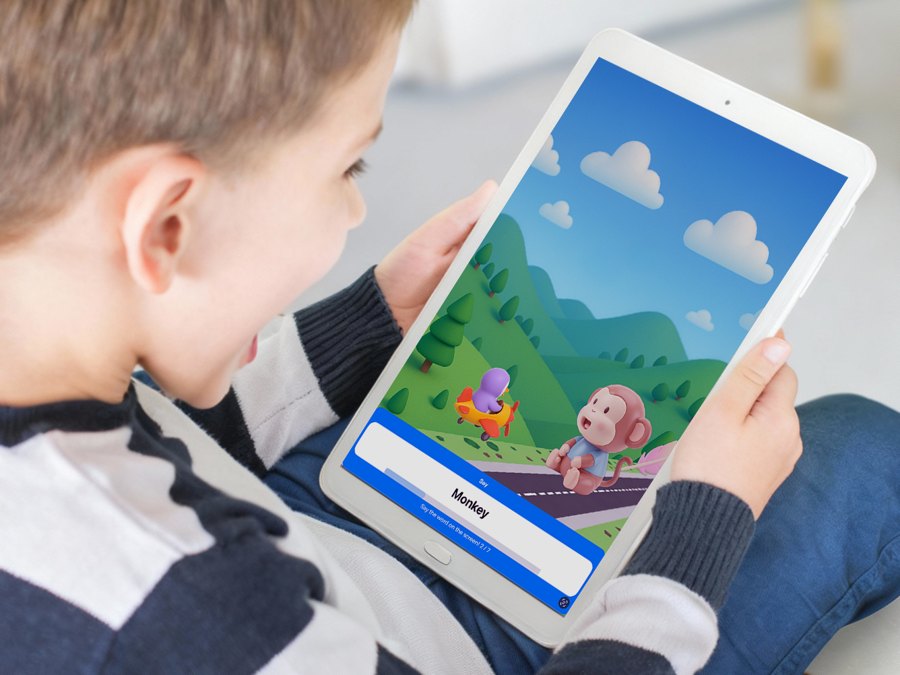
Kids say words out loud to a friendly character, and the game listens and responds. I design the product end to end: onboarding, the game loop, the level map, characters and the subscription screens

Who it’s for

Children aged 3 to 9 who practise speech at home, and the parents or therapists who set them up

Project at a glance
4.5★App Store rating
1,000+therapists using it
20Kdownloads
The challenge

What needed to change

  • Speech homework feels like a chore for young kids
  • Parents need a quick, clear set-up
  • Seasonal sales need fresh paywalls fast
My contribution

Where I made a difference

  • End-to-end product & game UX
  • Character cast & art direction
  • Paywalls & production assets
  • Internal tools with Claude Code / Codex
FigmaClaude CodeCodexMidjourney
Flow

The practice loop

  1. 01Choose a buddy
  2. 02Explore the map
  3. 03Say five words
  4. 04Earn rewards
Design decisions

Turning the brief into an experience

Pet Island onboarding

Grown-up sets name, birthday and goals, then hands over for a short adventure

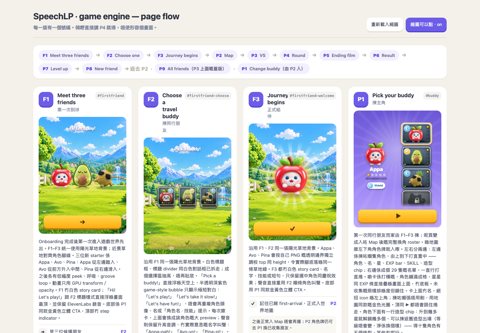
Game engine

Pick a buddy, travel the map, play 5-word mini-games with a rival and rewards

Seasonal campaigns

Halloween and Cyber Month paywalls for phone, tablet portrait and landscape
Approach

How I got there

  1. 01

    Explore

    • 5.5-min animatic to test pacing
    • Buddy & world concepts
  2. 02

    Design

    • 15-screen onboarding
    • Level map & mini-games
    • Responsive paywalls
  3. 03

    Ship

    • Production-ready assets
    • Theme studio & event planner

I design with AI, end to end

Characters, scenes and seasonal art are generated and art-directed by me, so a small team ships a full game world

I build my own design tools

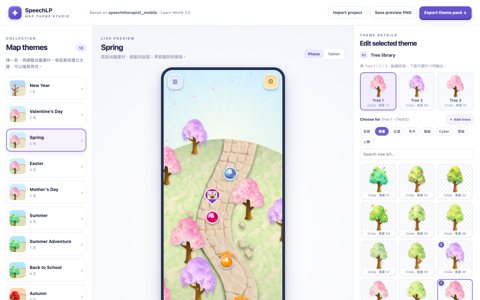
A map theme studio I built with Claude Code, so the team can swap trees, sky and ground for each season in seconds

I test the feel before the build

I code every game state into a playable prototype, so the team can test the timing and feel before the real game is built

PROJECT 02

ParagraphAI

AI writing help, right inside the keyboard

Year
2023
Platform
App, iPad, Chrome, Keyboard
The brief

What I designed

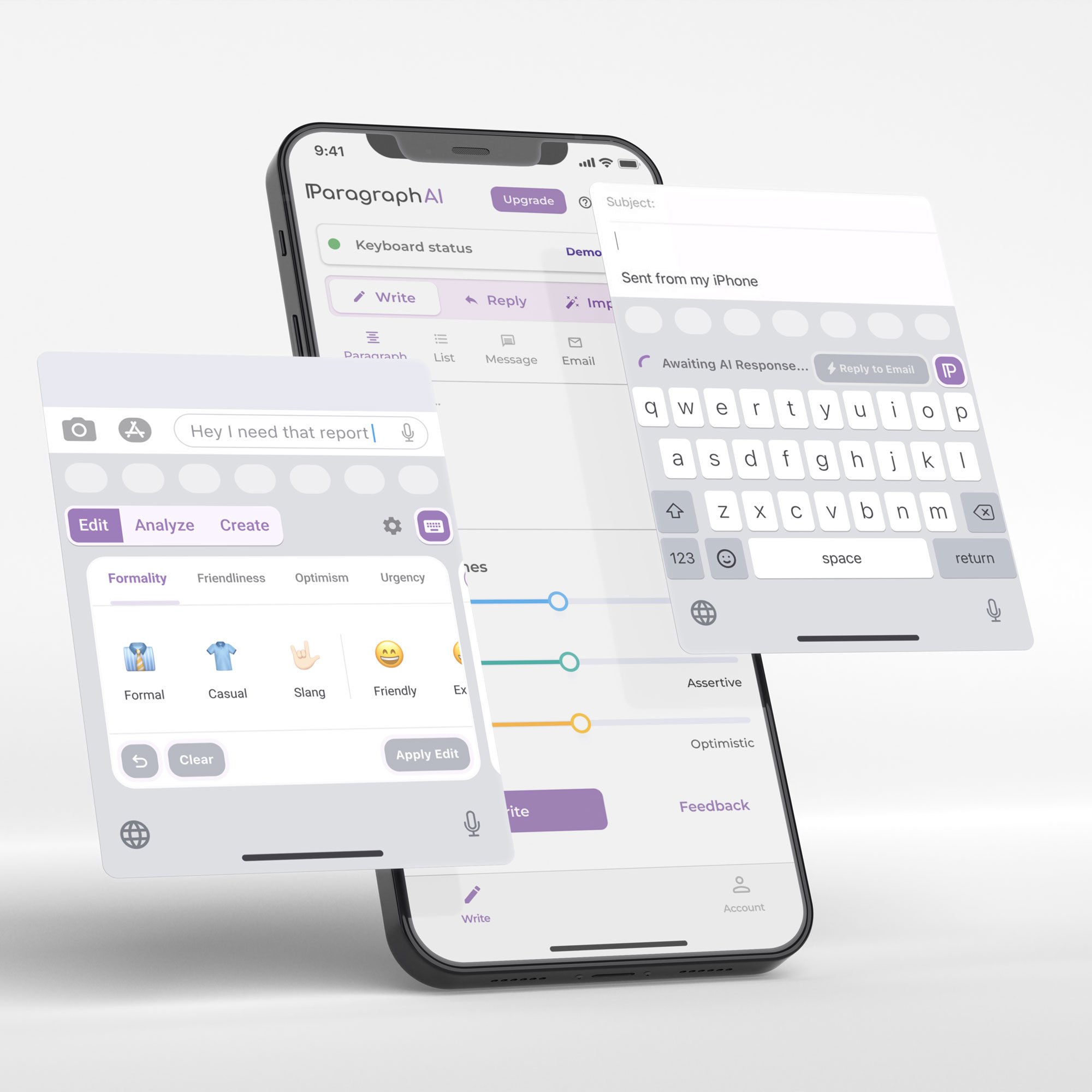
An AI writing assistant on iOS, Android and Chrome that helps people write clearly in 40 languages. I design across the app, iPad, the Chrome extension and the AI keyboard
Who it’s for

Project at a glance
340Kusers
24Kdaily active users
4.7★App Store rating
The challenge

What needed to change

    My contribution

    Where I made a difference

      FigmaAfter Effects
      Flow

      Design process

        Design decisions

        Turning the brief into an experience

        Approach

        How I got there

          I design for real usage at scale

          340K users and 24K daily users across app, iPad, Chrome and keyboard keep every decision grounded in how people really write

          0.00%overall conversion

          Data-driven design solution

          I A/B tested three Pro plans in Mixpanel. Plan B beat Plan A, lifting conversion from 0.48% to 0.61% and Pro-plan views from 14% to 32%, so it became our paywall
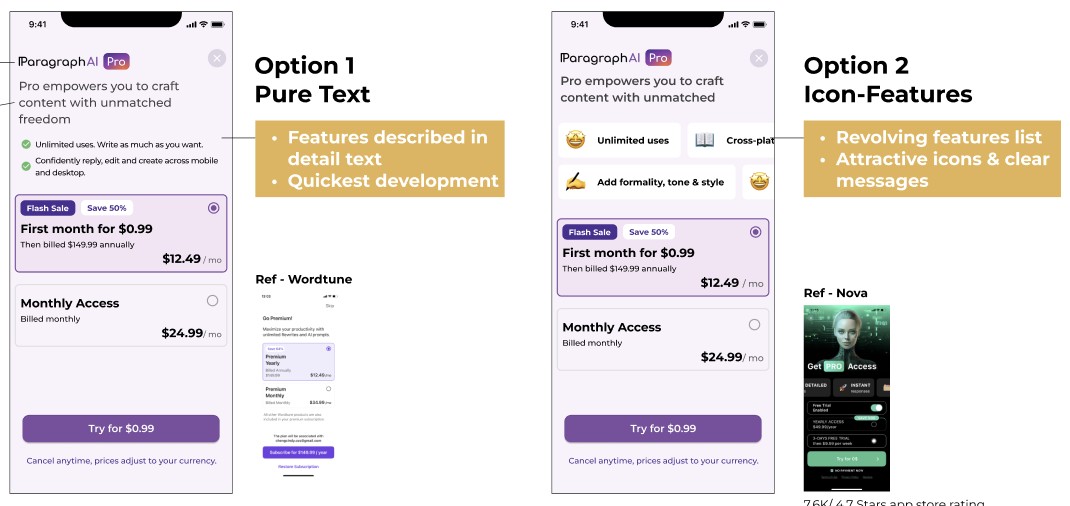
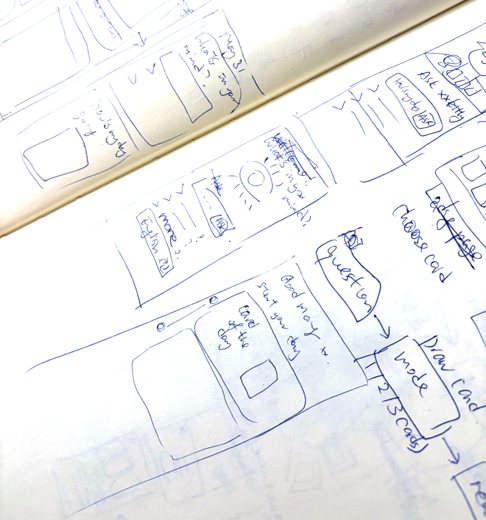
          I compare options before we commit

          Two paywall layouts, pure text vs icon features, annotated side by side with Wordtune and Nova as references, so the team picks with clear reasons

          PROJECT 03

          Lemontea

          The HR and scheduling system behind 872 stores

          Year
          2022
          Platform
          Desktop, Tablet, Mobile
          The brief

          What I designed

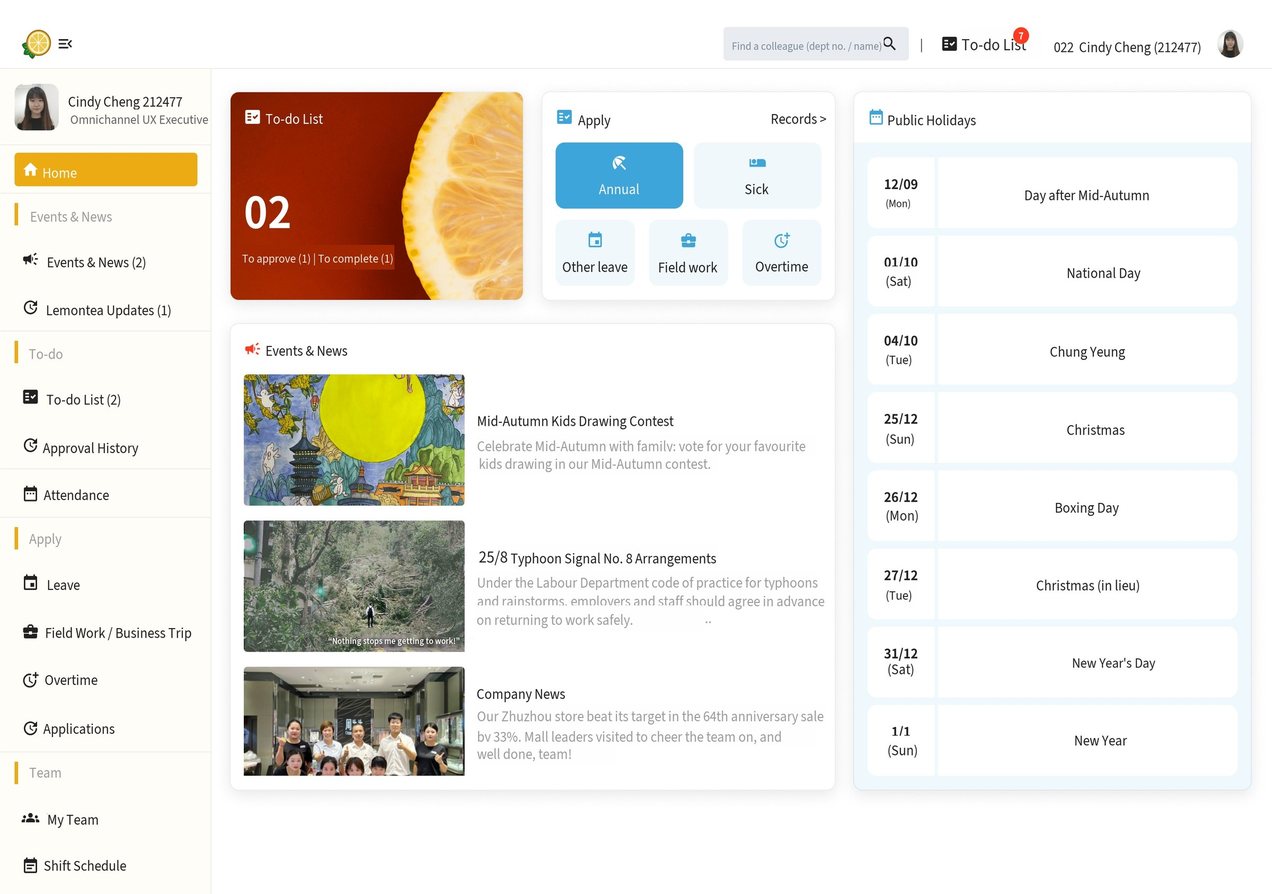
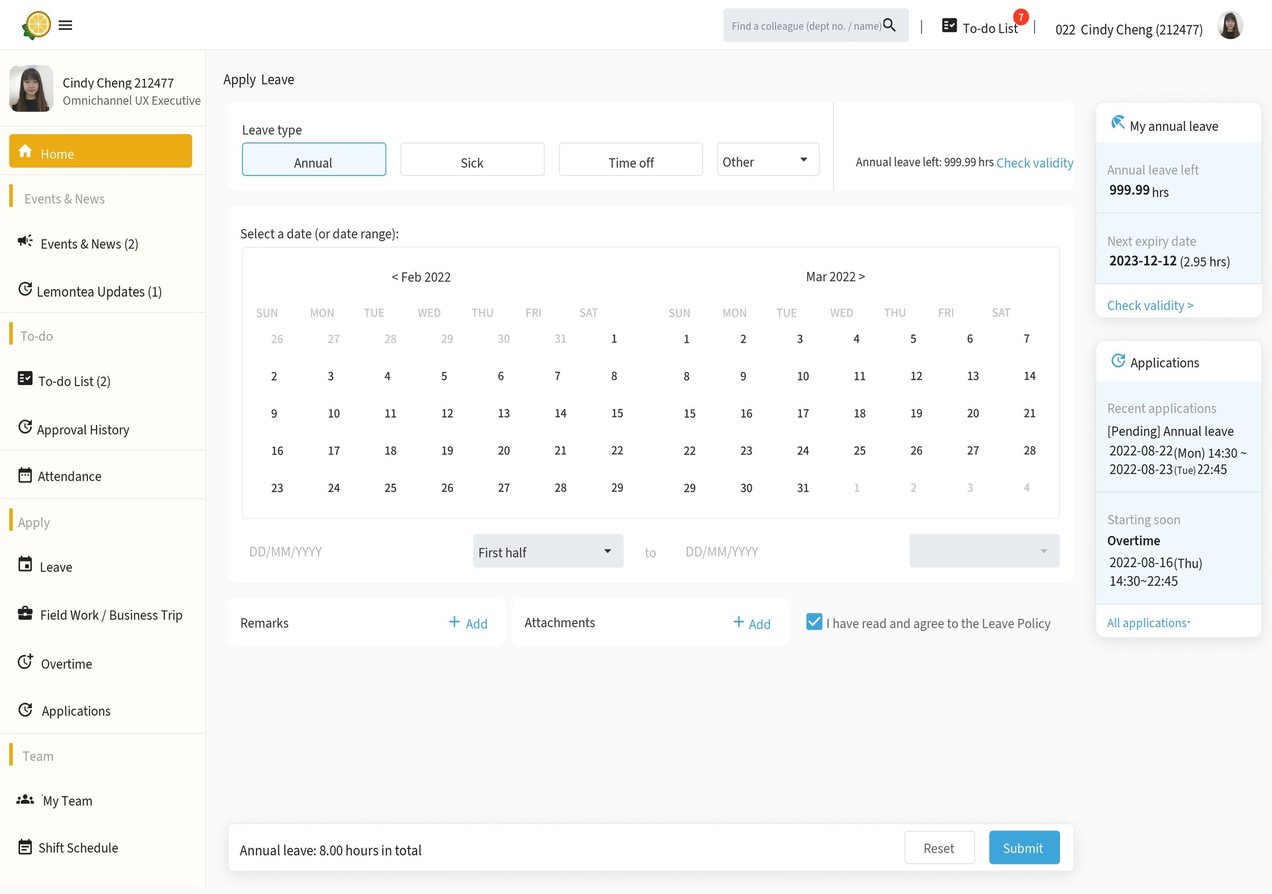
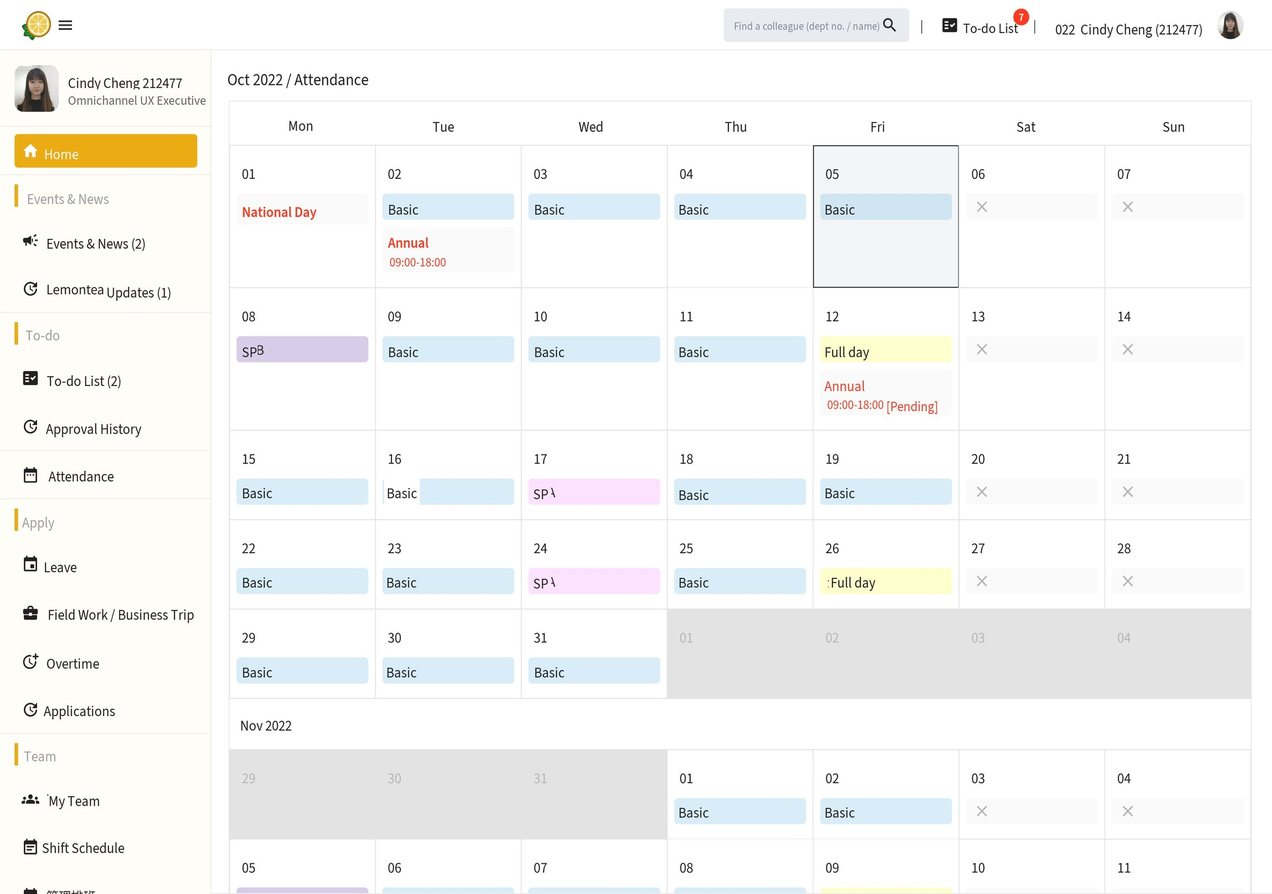
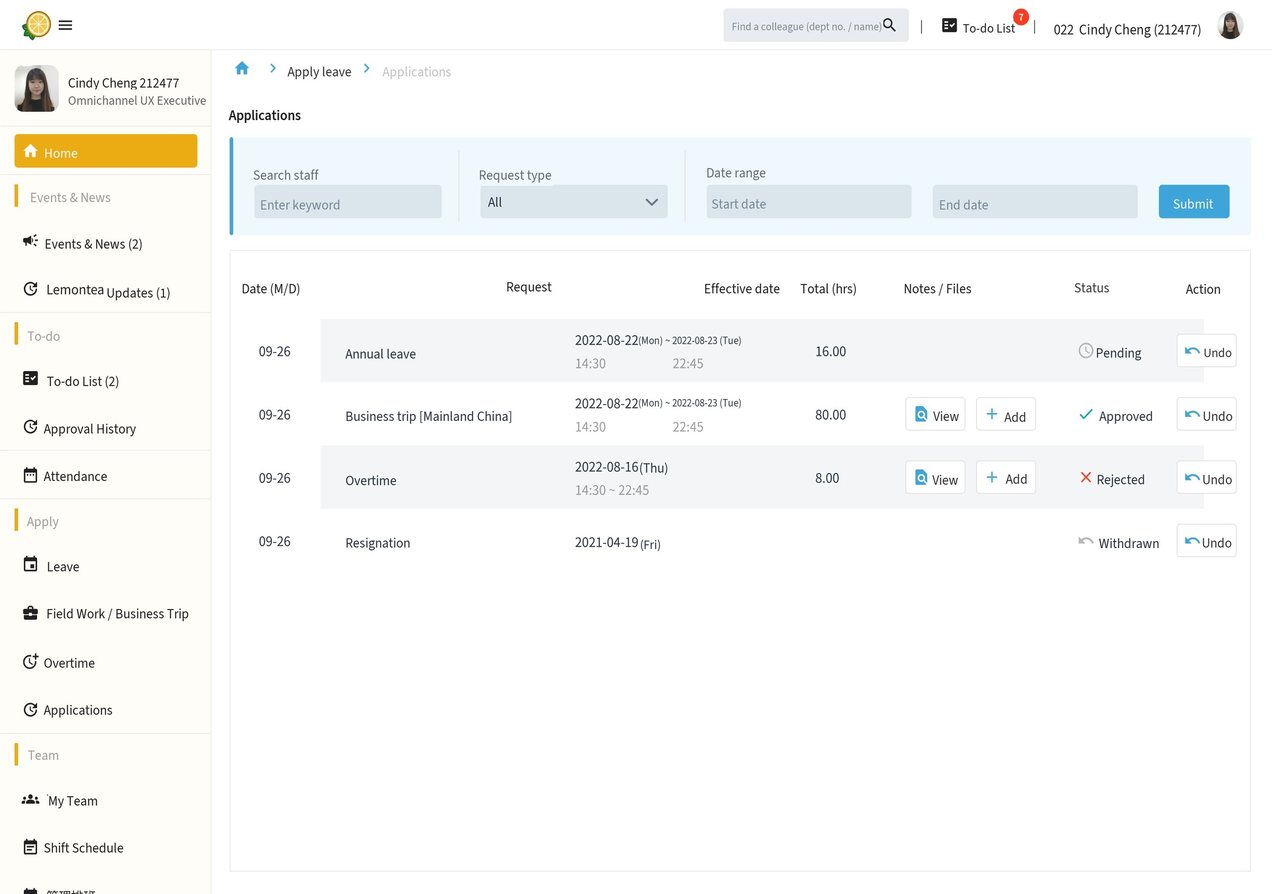
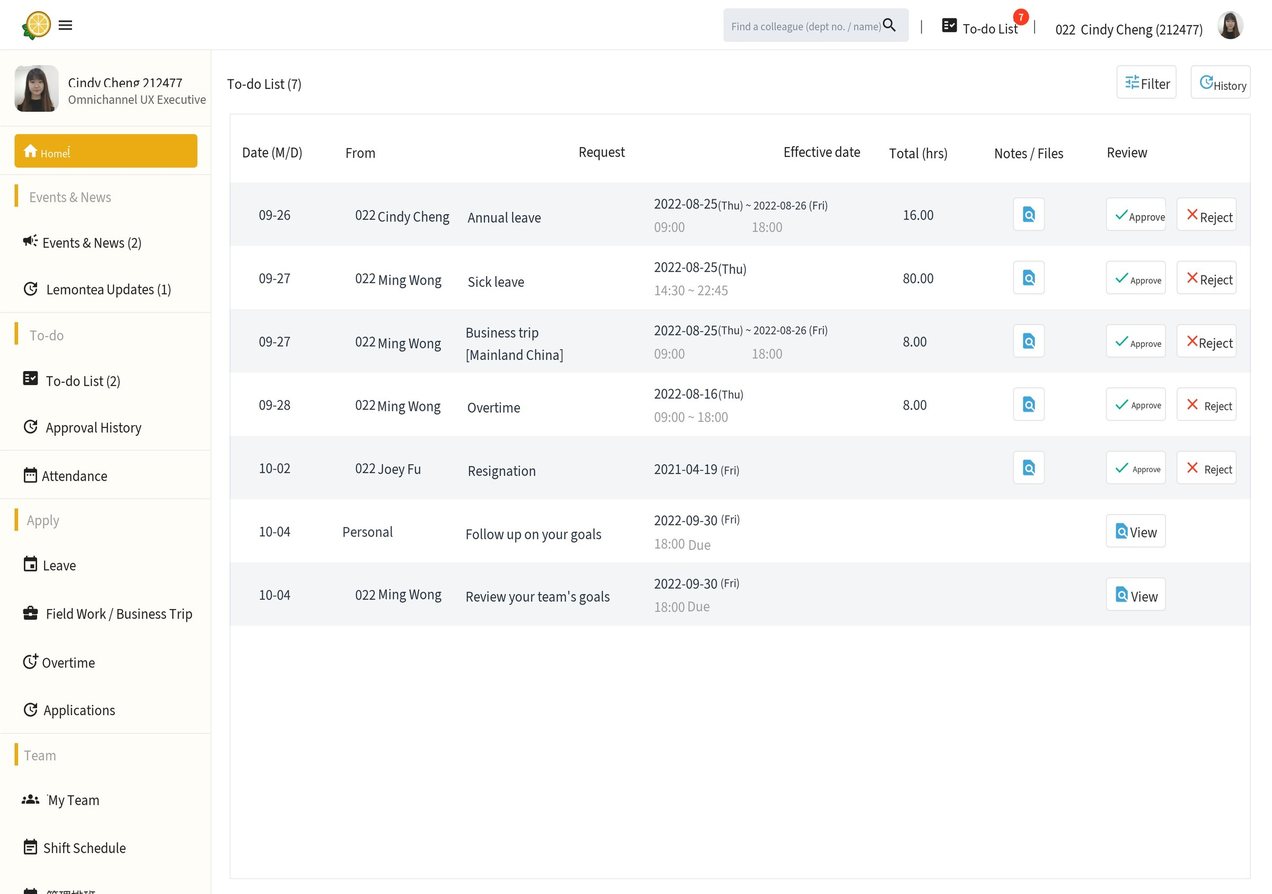
          Lemontea is the HR system of a leading gold jewellery company. We rebuilt it around real store operations: dashboard, to-do list, attendance, leave and scheduling

          Who it’s for

          Store managers who plan weekly shifts, and the HR team who need control and clean records

          Project at a glance
          10,000+staff on the system
          54managers surveyed
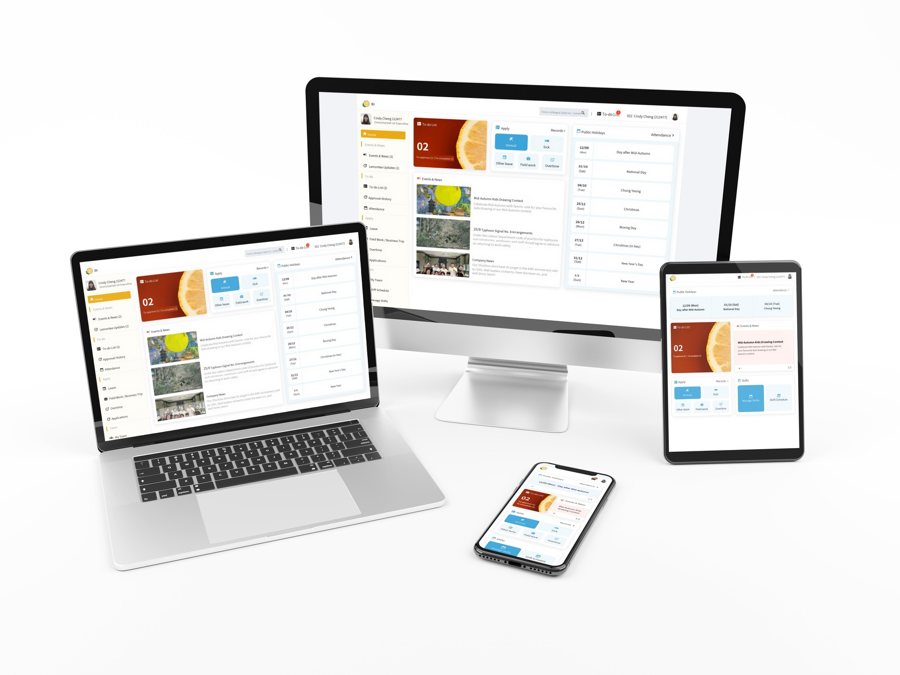
          3device layouts
          A store HR manager holding up the Lemontea staff portal on a tablet, with two jewellery store staff
          The challenge

          What needed to change

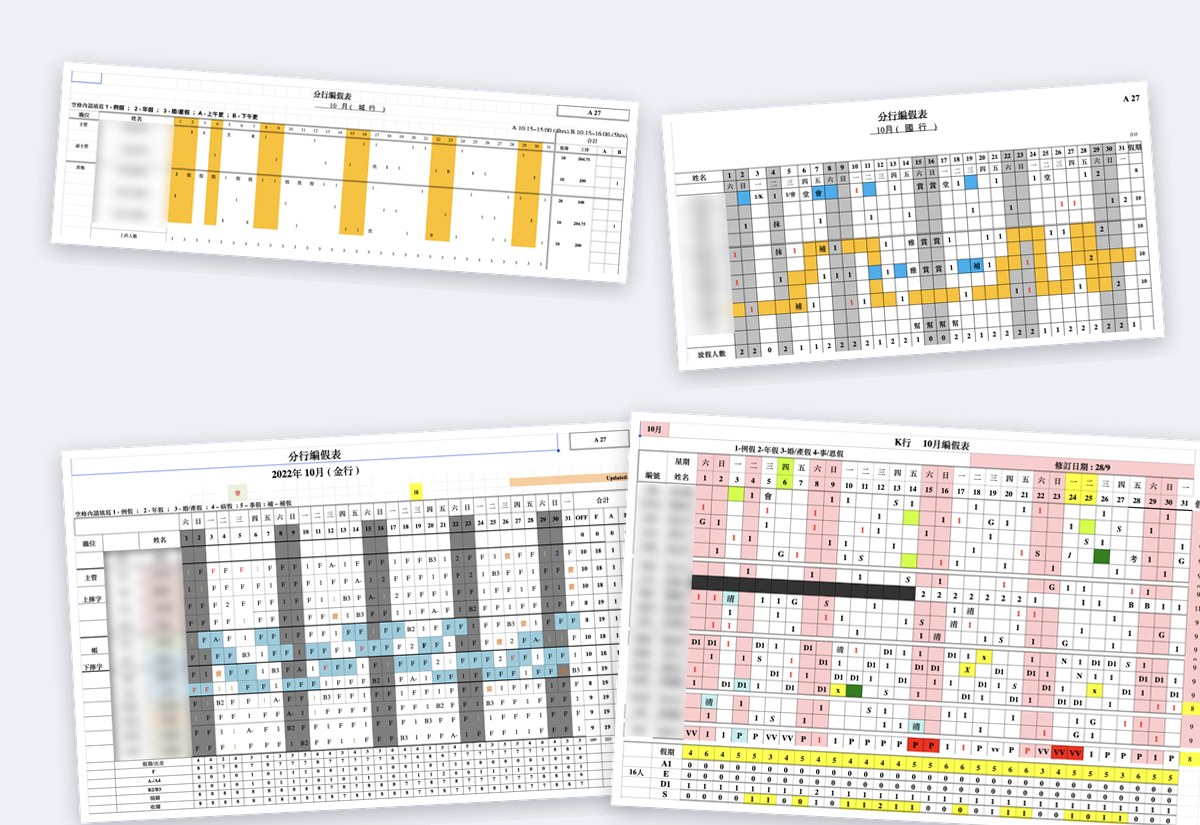
          • Stores scheduled shifts in their own Excel files
          • No control or record for HR
          • Old system ignored real store needs, so staff did the work twice
          My contribution

          Where I made a difference

          • UX lead on scheduling
          • Workshops & surveys
          • Desktop, tablet & mobile UI
          SketchMiroJira
          Flow

          A shared scheduling workflow

          1. 01Plan store shifts
          2. 02Enter shift codes
          3. 03Review leave
          4. 04Check on mobile
          Design decisions

          Turning the brief into an experience

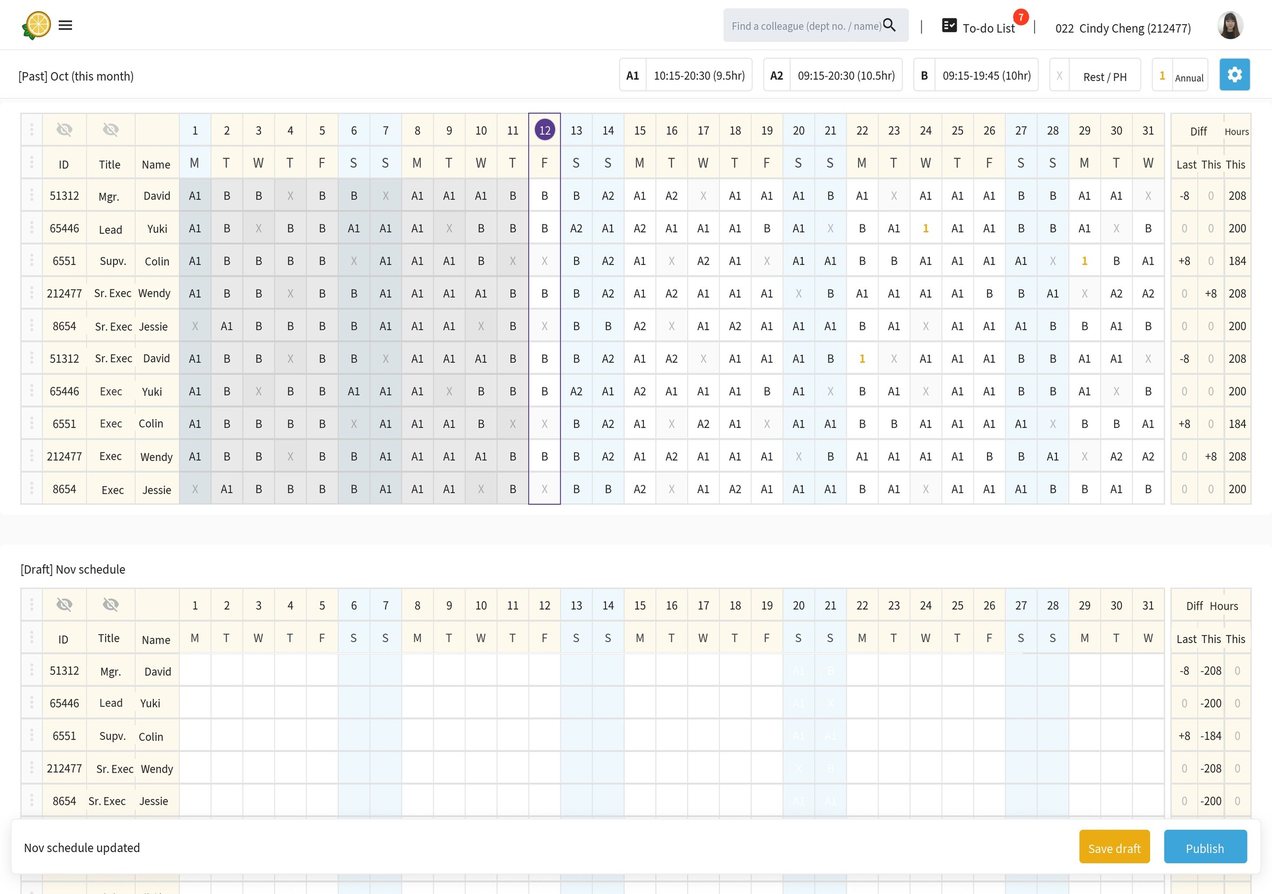
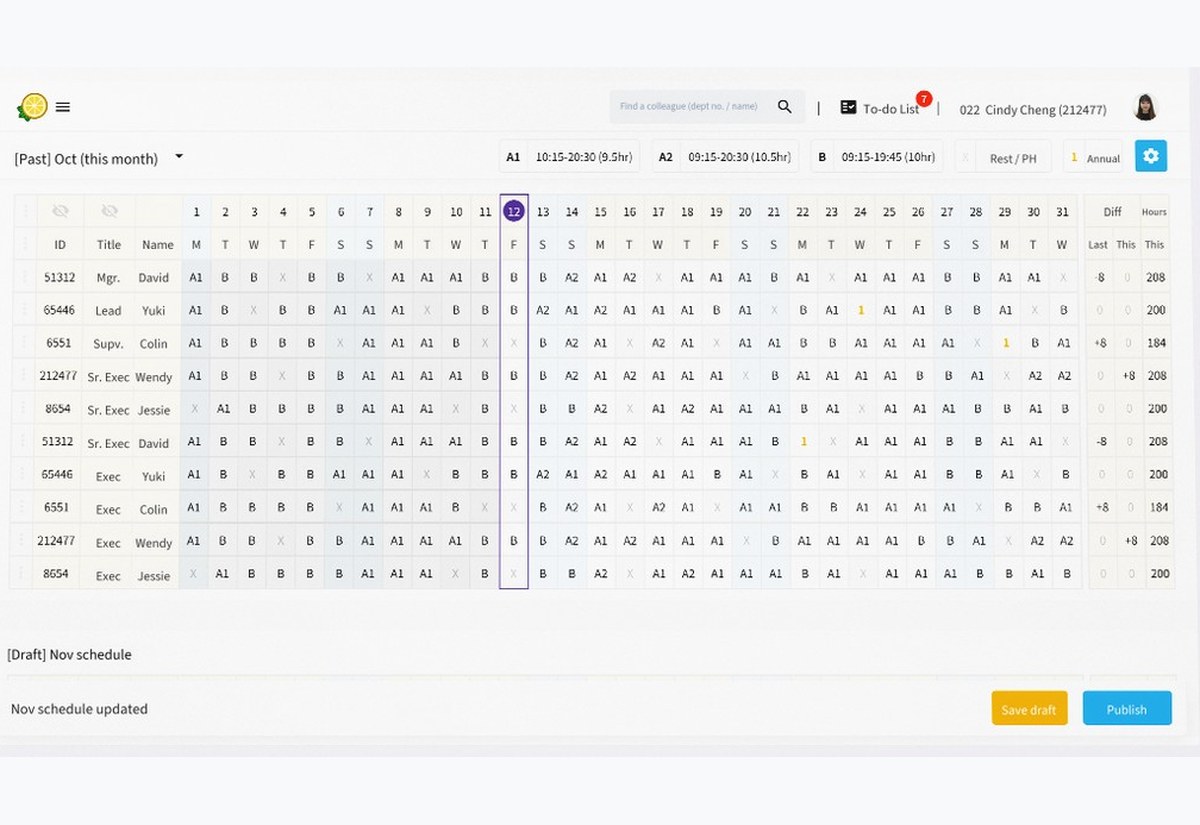
          Excel gestures

          Type shift codes and use arrow keys, so managers feel at home

          Smart colouring

          Holidays, annual leave and other leave show in their own colours

          View-only mobile

          Managers check schedules on the go without accidental edits
          Approach

          How I got there

          1. 01

            Research

            • HR consultation
            • Workshops with HK store managers
            • Survey of 54 managers
          2. 02

            Define

            • Collected Excel templates
            • Balanced HR control vs store flexibility
          3. 03

            Design

            • Excel-like grid with keyboard input
            • Responsive: edit on web, view on mobile
          New scheduling design
          Each store kept its own Excel shift sheet, in a different format (names hidden)
          BeforeAfter

          I untangle messy operations

          Every store kept its own Excel schedule. I turned it into one system HR and stores could share

          Enhancement decisions
          Store needSolutionDeclinedBug
          • Accidental clicks can’t be undoneUndo button and Ctrl + Z
          • Can’t see the whole month at onceZoom the table in and out
          • Mis-clicks cause hidden hour errorsKeyboard input, no one-click shift changes
          • No role assignmentRoles for key holders, jewellery and gold sales
          • Rest periods are too rigidRest periods must stay regulated
          • Too many unused shifts, can’t deleteShift folders, this month first, search
          • Hour balances carry over and go wrongSupervisors settle hours with leave or pay
          • No daily on-duty dataShow holidays, shifts, opening and closing
          • Forms locked mid-month for new hiresPlan shifts ahead, no mid-month edits
          • Want to import Excel schedulesUse Lemontea shifts, Excel is error-prone
          • Want to see team leave balancesSupervisors see team annual leave
          • Dropped connection reshuffles the layoutReview bug
          • Dropped connection loses progressReview bugSave button
          • Upload bugs, unclear if it workedReview bugSave button
          • Maintenance downtime disrupts workNot frequent enough to change

          I listen before I design

          Workshops, phone interviews and a survey of 54 store managers became a board of needs and design responses

          Derek MitchellStore Manager · 5 yrs
          Balancing staff needs and operations is my daily challenge.

          • Quick shift adjustments
          • Clear staff allocation
          • Schedules on mobile
          • Manual, slow scheduling
          • Staffing peak periods
          • HR’s need for control
          Jessica CarterHR Head · 10 yrs
          Efficiency and control are the keystones of a well-managed organization.
          • Systemized control over shifts
          • Budget kept consistent
          • Legal rules built in
          • Flexibility vs financial control
          • Inconsistent branch processes
          • Scheduling across cultures

          I design for two sides at once

          HR wanted control, stores wanted flexibility. Excel-like editing on web, view-only on mobile

          PROJECT 04

          HangSeng.com

          A responsive rebrand for one of Hong Kong’s biggest banks

          Year
          2019
          Platform
          Responsive web
          The brief

          What I designed

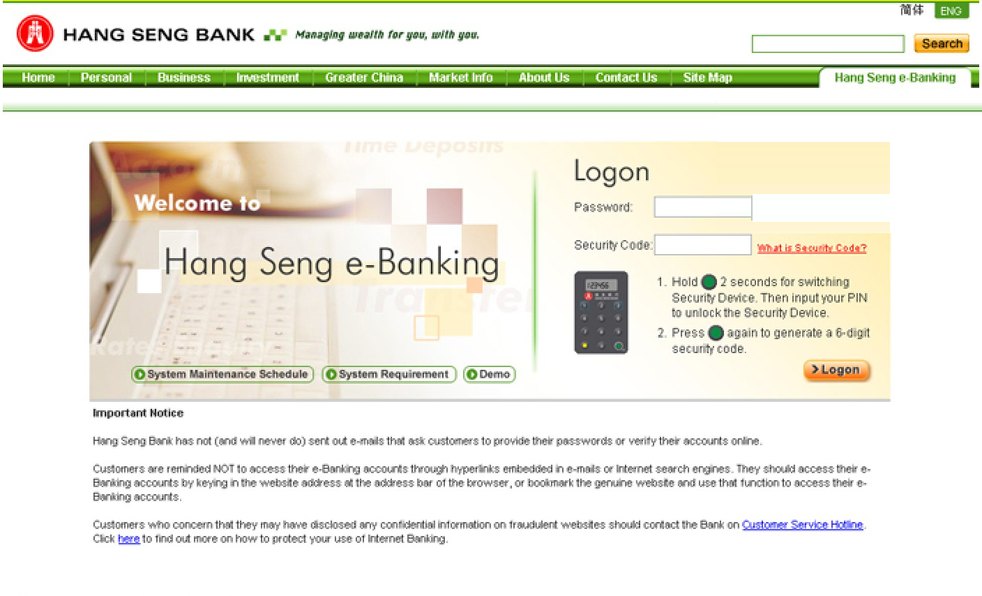
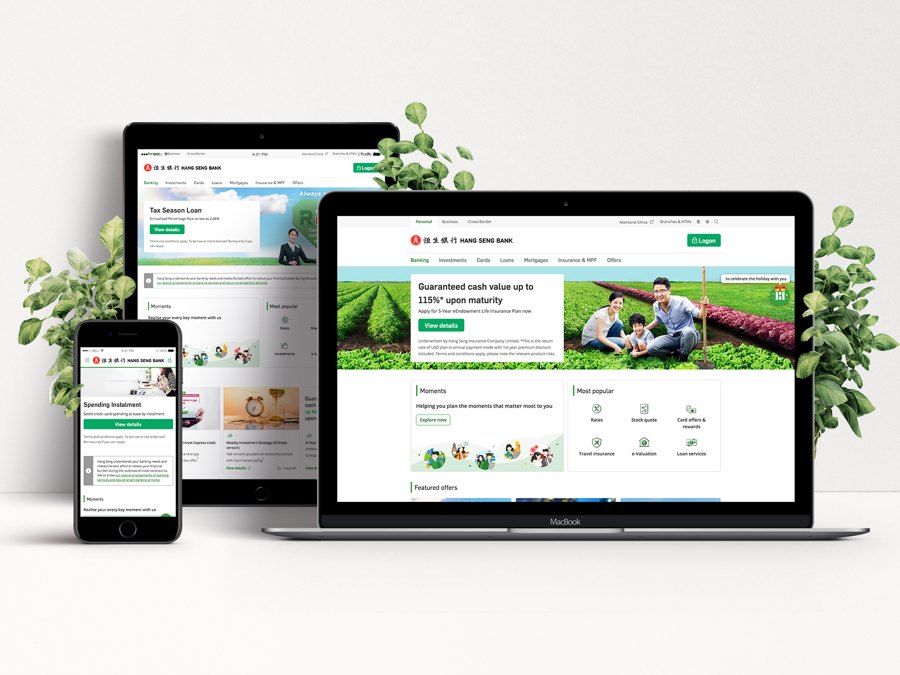
          One of five core designers on the Hang Seng Bank website: a full rebrand and redesign of 100+ pages

          Who it’s for

          Project at a glance
          3.9Mcustomers
          100+pages redesigned
          Visit hangseng.com
          Two Hang Seng Bank staff showing the new website on a laptop and a phone
          BeforeAfter
          The challenge

          What needed to change

            My contribution

            Where I made a difference

              SketchInVision
              Flow

              Design process

                Design decisions

                Turning the brief into an experience

                Approach

                How I got there

                  NavigationDemo Guidelines

                  Vertical navigation

                  StandardHoverSelected1st levelLabelLabelLabel2nd levelLabelLabelLabel3rd levelLabelLabelLabel
                  1
                    • 2
                    • Account Overview
                    • Transfers
                    • Time Deposits
                    • 2
                    • Loans Overview
                    • Instalment Loan
                        3
                      • Handy Cash Loan
                      • Tax Comforter
                      • Top Up Loan

                  I work to the strictest standards

                  A bank with 3.9M customers: every page had to meet brand, legal and compliance review

                  I deliver my part of a big team

                  One of five core designers on 100+ pages, reviewed weekly in sprints
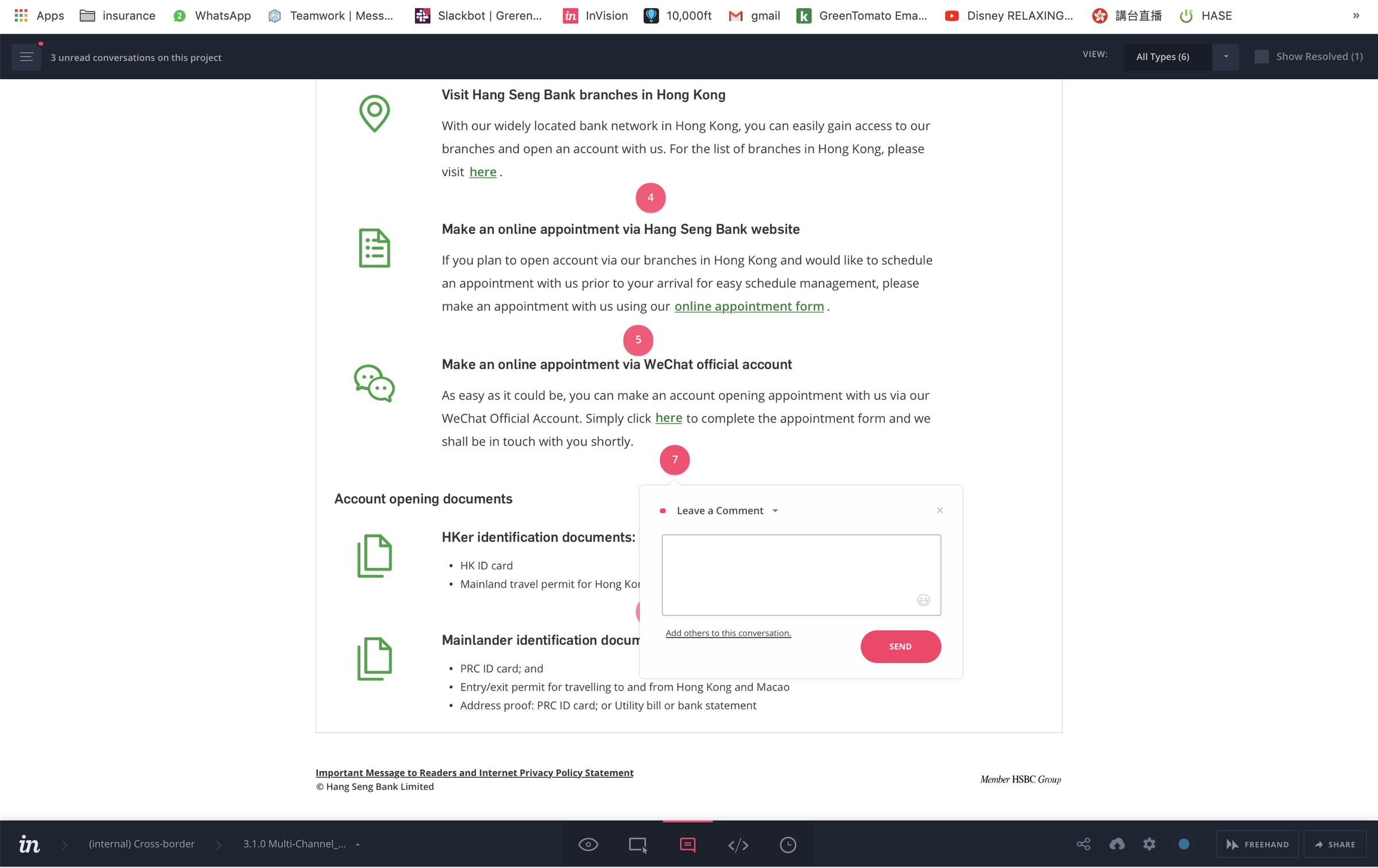
                  I prove ideas before they ship

                  Wireframes in Sketch, then InVision prototypes for client reviews and user testing

                  // bonus chapter

                  I also make the marketing.

                  Short social reels, ads and launch visuals for SpeechLP, from script to final cut

                  See the social content →

                  I’ve designed through every shift

                  From Photoshop layouts to Sketch, Figma and now AI. The tools keep changing, and I keep learning the newest way to ship
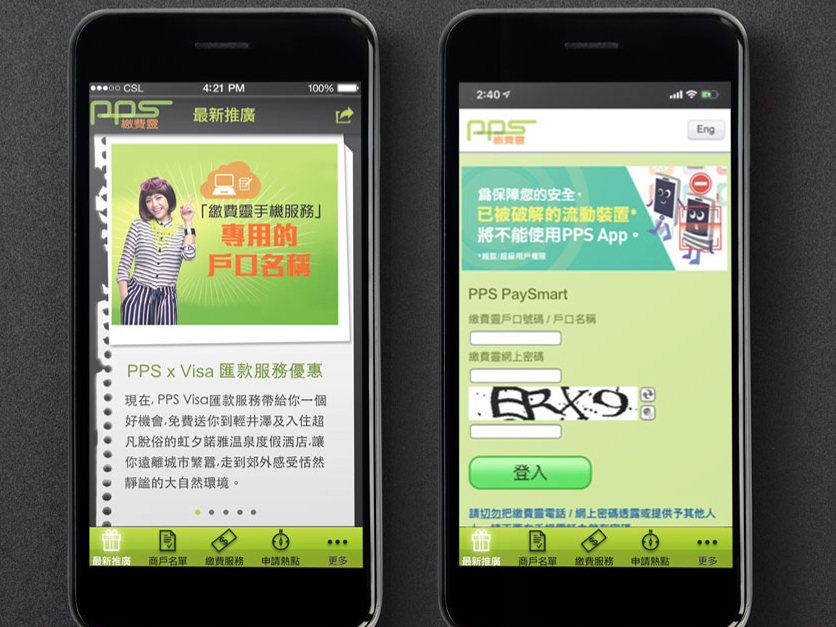
                  1. PPS designed in Photoshop
                    Photoshop2018 · PPS
                  2. Hang Seng Bank designed in Sketch
                    Sketch2019 · Hang Seng Bank
                  3. Lemontea designed in Figma
                    Figma2022 · Lemontea
                  4. SpeechLP designed in Claude & Codex
                    Claude & Codex2026 · SpeechLP